Official MonsterVerze Resources
Game page, GirlDom group, Fandom wiki, and how each unlocks day-one rewards.
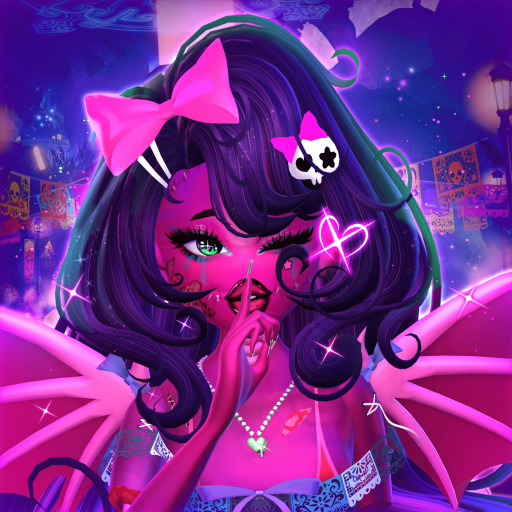
Official and semi-official destinations matter more in MonsterVerze than in finished live games because early access / BETA menus, moderation holds, and claim buttons change quickly. This page maps the Roblox experience page, the PlayGirldom (GirlDom) group, and the community Fandom wiki so you know which URL to open for launches, free Ghoulars, lore, and secondary code tables. Start from the Links Hub anytime you need the short bookmark list.
Roblox game page (launch + social actions)
Primary URL: MonsterVerze on Roblox
Use the game page to:
- Press Play and enter the BETA experience.
- Like and Favorite the place—required for many starter and limited Shop claims.
- Read the description for high-level how-to steps (listen to Skella, catch the train, dress up).
- Confirm you are on the live root place (place ID
133679065471783) rather than an outdated private copy.
After social actions, return in-game and claim through iGhost Shop using Free Ghoulars & Bundles. If detection lags, toggle like/favorite once and rejoin the server.
PlayGirldom / GirlDom Roblox group
Group URL: PlayGirldom on Roblox
Joining the developer group is the backbone of the ~10,000 Ghoulars starter path and many limited outfit bundles (for example Hauntara’s Spirit–style claims that also ask for creator follows). Steps:
- Open the group page while logged into the Roblox account you play on.
- Click Join Group and wait for membership to show.
- Like/favorite the game page (above).
- Launch MonsterVerze, finish enough of Getting Started to reach open-world iGhost.
- Open Shop / claim UI and collect the starter payout when the offer is live.
Group membership also signals you follow official ownership (PlayGirldom creator group ID 33229861). When Discord and this fan wiki disagree, trust the group wall / experience page first.
Community Fandom wiki
Encyclopedia URL: MonsterVerze Wiki on Fandom
The Fandom project is a separate community encyclopedia with lore pages, developer credits, and historically maintained Codes tables. Use it to:
- Cross-check item names (halos, crowns, plushies) before you shop.
- Read lore and character stubs that this fan site may not duplicate.
- Compare code reward notes when a Discord drop is messy.
Then redeem on Roblox yourself via How to Redeem Codes and keep our structured Codes hub as your session checklist. Fandom and monsterverze.wiki are both fan-run relative to GirlDom’s studio—neither replaces Discord announcements during moderation crises.
How official pages connect to in-game systems
| Resource | In-game payoff |
|---|---|
| Roblox like/favorite | Unlocks many Shop claim requirements |
| PlayGirldom group join | Starter Ghoulars + limited bundles |
| Discord (see Discord Community) | Fastest patch / code heads-ups |
| Fandom wiki | Lore + secondary code documentation |
| This fan wiki | Guides, tools, troubleshooting, SEO hubs |
Master the phone HUD with iGhost Phone, spend carefully with the Outfit Planner, and track soft-currency redeem habits on the Code Checklist.
Creator follows sometimes required
Limited free sets may list specific Roblox creators (community reports often include profiles tied to Vivisaintclair / PeacherinoDoll eras of development). Always follow the exact usernames printed on the in-game bundle card—not a lookalike account. After following, re-open Shop Claim. If Claim stays grey, finish the tutorial, rejoin, and verify group membership on the website.
Troubleshooting “official” claim failures
- Wrong account: You joined the group on alt A but play on alt B.
- Cached membership: Leave/rejoin group, soft rejoin MonsterVerze.
- Like/favorite desync: Toggle both on the experience page.
- Still in tutorial lock: Complete Skella’s path from Getting Started.
- Place moderated: Check Discord and Updates before reinstalling Roblox.
Recommended first-hour resource route
- Join PlayGirldom.
- Like/favorite MonsterVerze.
- Join Discord via Discord Community.
- Claim starter Ghoulars in Shop (Free Ghoulars & Bundles).
- Redeem Codes.
- Skim Fandom only if you want lore depth; return here for how-to depth under Guides.
Bookmark this Official Resources page beside the Links Hub. When BETA claim rules shift, the Roblox group and game page remain the source of truth for what GirlDom actually requires—everything else is documentation layered on top.
Frequently Asked Questions
Quick answers for codes, fashion, and BETA systems.
What is the PlayGirldom group URL?
https://www.roblox.com/groups/33229861/PlayGirldom — join with the same account you play MonsterVerze on.
Why like and favorite the game?
Many free Ghoulars and limited bundle claims require like + favorite on the Roblox experience page before Shop Claim unlocks.
Is the Fandom wiki official GirlDom staff content?
It is a community encyclopedia widely used by players. Cross-check live claims and codes in-game and on Discord.
Where do I claim the ~10k starter Ghoulars?
After group join and like/favorite, claim inside iGhost Shop. Full steps are on Free Ghoulars & Bundles.
What if the Roblox place is moderated?
Watch Discord announcements and Updates on this wiki. Devs typically post appeal status there before the place returns.